FM radio on your head unit, and how to help us support yours
The radio is the hardest part of a head-unit launcher, because every maker wires the tuner differently. Here is where Feather Light stands, and how one report from your unit helps.
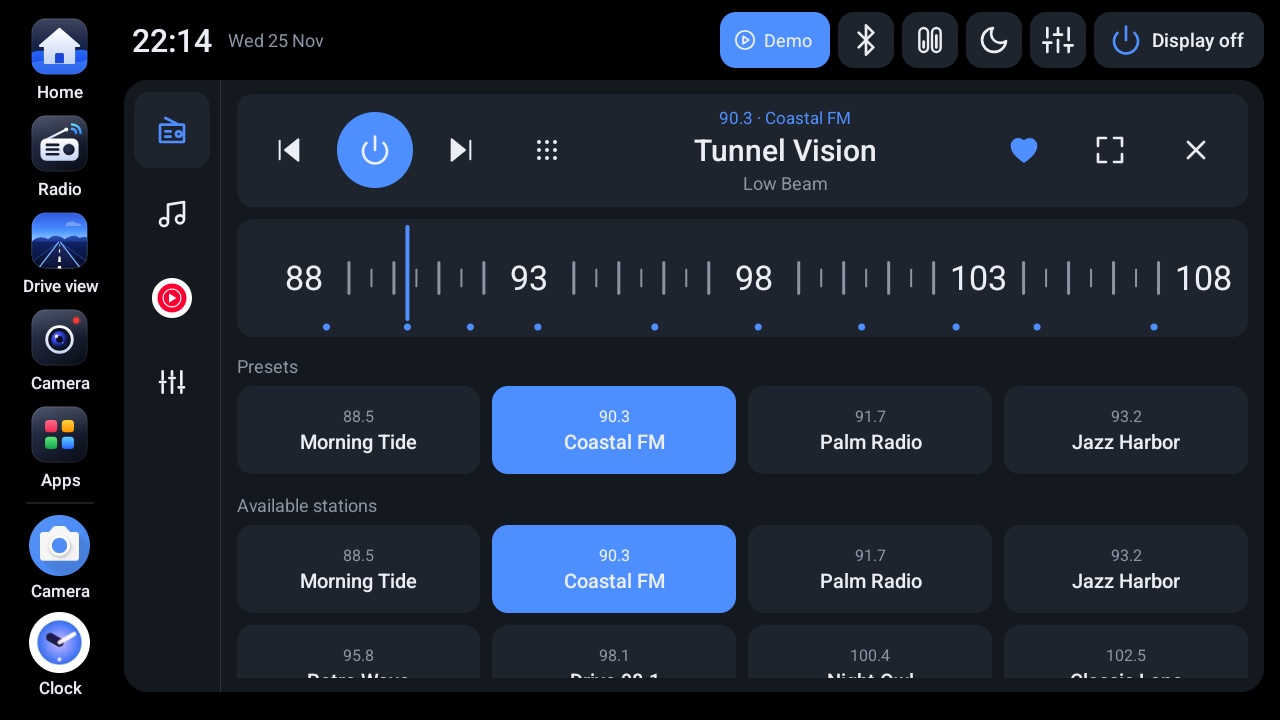
Ask anyone who has tried to write a launcher for Android head units: the radio is the hard part. Android has no common way to reach the FM tuner in these units. Each maker wires it differently, often through its own service, and usually without documentation.
What works today
Feather Light tries several ways to reach the tuner, in order, and uses the first one that answers:
- FYT units (the common "Syu" firmware): the launcher talks to the unit's own tuner service. Beta.
- TopWay units: the launcher uses the tuner calls built into the firmware. Beta.
- Units with a standard Android radio app: the launcher connects to that app's media controls.
If none of those answer, the radio screen falls back to your unit's own radio app. You still get the station and the seek buttons on the home screen when that app shares them with Android.
Beta means it is built from what is known about these units, and we need more cars to confirm it. If it works in yours, tell us. If it does not, the report below is exactly what we need.
Send a radio report
On the unit, go to Settings, then Radio, then Radio report. Tap Test each radio method. The launcher turns each method on for a few seconds and writes down whether the tuner answered.
You can share the report as a QR code or a file, or send it to us together with your stock radio app (next step).
Send us your stock radio app
The quickest way for us to add a new unit is to look at the radio app it shipped with. Signed in, go to Settings, then Radio, then Ask for radio support, and pick your unit's radio app. It is sent to us together with the radio report.
We read the report and the app, add support for your unit, and the next update can drive its tuner directly.